
The Ortho Edit · Edition 02
Invisalign Virtual Care AI and Lens: checking in from home.
Take a few photos with your phone and Invisalign Lens, and AI helps your clinic follow your progress between visits. What is new, what it could mean for patients, and how it supports the practice.
What's new
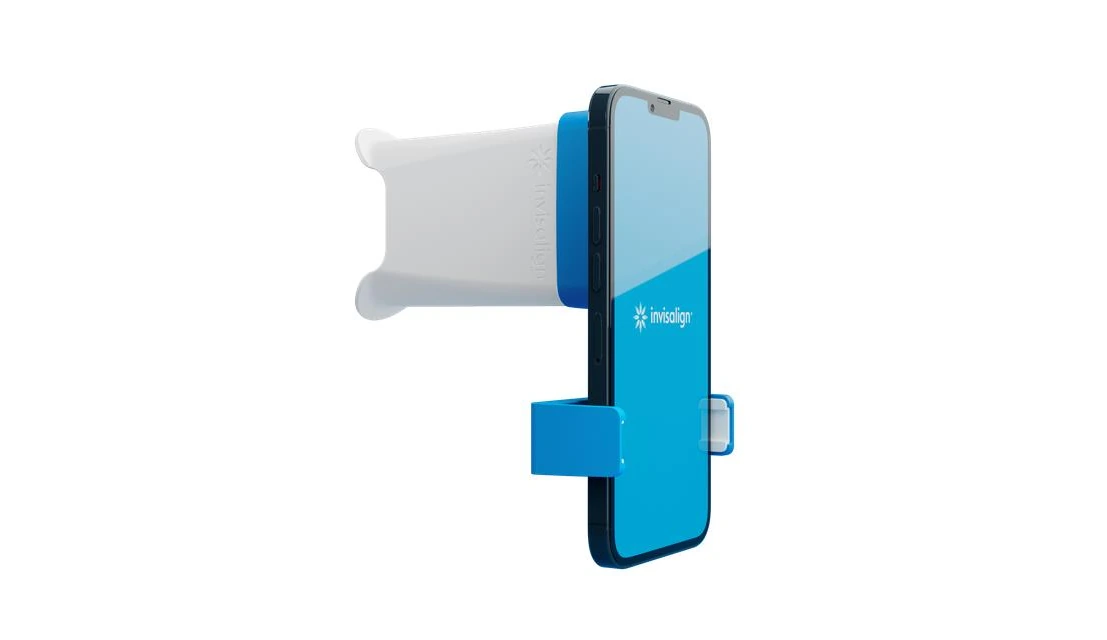
Invisalign Virtual Care AI is a way of checking your progress between visits (remote monitoring) that is built into the Invisalign treatment experience. You use the My Invisalign app and the Invisalign Lens, a small clip-on attachment for your phone's camera, to photograph your teeth at home1.
Behind the scenes, the AI (artificial intelligence, software that analyses images) measures the spaces between your aligner and your teeth. It uses the type, shape and size of each of your teeth from your ClinCheck plan (Invisalign's 3D treatment plan), and Align-trained personnel verify the results1. Align says automated notifications reach patients in about an hour1.
1
You take photos
At each aligner change, the My Invisalign app guides you to photograph your teeth with your phone and Invisalign Lens.
2
AI checks the fit
The AI measures the spaces between your aligner and your teeth and compares them with your own treatment plan.
3
The team reviews
Align-trained personnel verify the results, and your clinic sets the guidance you receive.
4
You get clear advice
Move to the next aligner, wear the current one a little longer, or contact the clinic.
What it could mean for patients
- Fewer trips when you don't need them. Check-ins from home can suit busy schedules, and students or families who live far from the clinic2.
- Earlier answers. If a tooth is not tracking as planned, the plan can be adjusted sooner2.
- You stay in the picture. Seeing how your teeth are tracking helps you take a more active part in your own treatment1.
- Your orthodontist stays in charge. A clinician continues to oversee the process2, and visits to the clinic remain part of your care.
What it could mean for the practice
- Visits that focus on hands-on care. Remote assessment lets in-clinic appointments concentrate on what needs the orthodontist's attention1.
- Early advice. Spotting tracking issues early may reduce the chance of needing refinements (extra aligners that fine-tune the result)1.
- Personalised checks. Each patient is checked against their own plan, and the clinic chooses the feedback its patients receive1.
What to expect
The My Invisalign app is free, and the price of the Invisalign Lens varies by clinic2. If you are starting Invisalign, ask at your assessment whether remote check-ins suit your case, how often you would send photos, who reviews them and how your photos are stored. Photos help your orthodontist follow your progress, and they do not replace an examination: if something hurts, breaks or feels wrong, contact the clinic. Availability depends on the country and the clinic.
General information, not personal medical advice. Every mouth is different; book an assessment to talk about yours.
Sources
- Align Technology. Invisalign Virtual Care AI (Invisalign Doctor Site, Align Digital Platform). invisalign.com
- Dunegan & Cole Orthodontics. Invisalign Lens: remote monitoring between visits (a practice website). dunegancole.com
Keep reading